Unoverse
Everyone gets to add one thing to the planet.
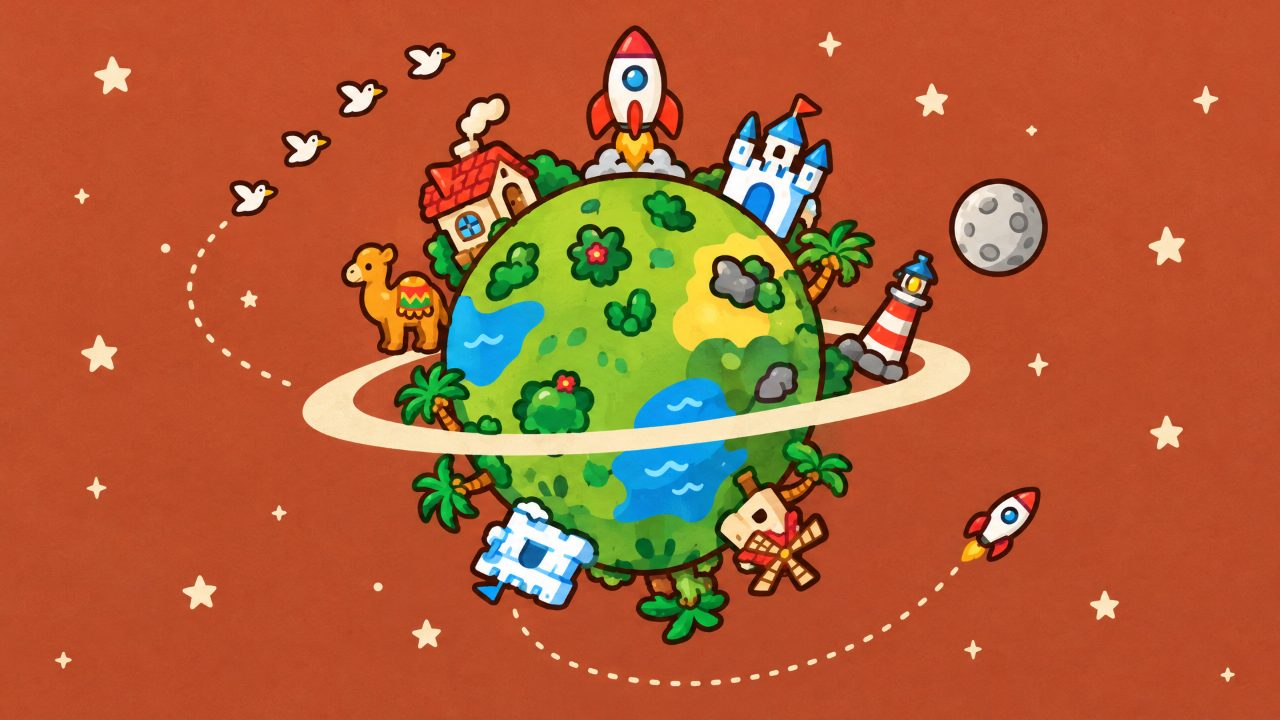

Unoverse controls: Scroll to zoom in · drag to spin · pick a thing, then click where it goes. Press Play, then the game takes the keyboard. Press Tab to leave it.
Unoverse
Add a figurine to the planet.
Use several fingers
Unoverse #31 · Fri 13 Nov
Unoverse #31 · Fri 13 Nov
Scroll to zoom in · drag to spin · pick a thing, then click where it goesPinch to zoom in · drag to spin · pick a thing, then tap where it goes
How to play Unoverse
The planet starts as a snow globe on a shelf: pinch, scroll or tap + to zoom in, and drag to spin it.
Open a drawer tab (Today's picks come first) and tap the one figurine you want to add.
Tap the planet where it should stand, choose a paint if you want one, and tap Place it.
Once it lands, your day is done: Explore planets to fly to the day's places, double-tap a spot and like things.
Open Past planets for the shelf of earlier days, or Play the day to watch a planet fill up.
Controls
| Input | Action |
|---|---|
| Touch: pinch, or tap + and − | Zoom from the snow globe down to street level |
| Touch: drag on the planet | Spin it (a flick keeps it turning a moment) |
| Touch: double-tap the planet | Fly to that spot and zoom in |
| Touch: tap a tab, a figurine, a paint, the planet | Choose your one thing, its paint and its spot |
| Mouse: scroll wheel | Zoom in and out |
| Mouse: click and drag | Spin the planet; click to choose, aim and place |
| Arrow keys | Spin the planet |
| +− (or EQ) | Zoom in and out |
| SpaceEnter | Aim at the spot you are looking at, then place it; later, take me somewhere |
| EscapeBackspace | Go back one step |
Tips
Zoom all the way in before you place. Up close you can see exactly which street, island or wood your figurine joins.
Put houses next to houses to grow a village with paths, or plant trees together for a wood with a bird over it.
Check the Today tab first: its picks suit the day's world, and its first card is the rare figurine that is free today.
On a busy evening, use Play the day to see where everyone built, then find a quiet corner it skipped.
Levels and modes
- Today's thingAdd your one thing of the day to the planet
- Look aroundExplore today's planet and the past ones: nothing to place
About Unoverse
Everyone who visits today adds one thing to the same tiny planet. The planet starts as a snow globe on a shelf; pinch, scroll or press + to zoom in until the glass fades and the world fills the screen, then keep going down to street level, where the figurines stand against the sky and the ground curves away to the horizon. Unoverse is a shared toy rather than a game: you pick one figurine from a drawer of more than 400 hand-painted ones, a cottage, a lighthouse, a camel, a moon base, a duck, tap the spot where it should stand and set it down.
The planet is new every day, and so is its world: a green meadow, a scatter of turquoise islands, dunes with oases, a snowball, an orange autumn, a starry night where every window glows, a coral sea or the gray moon. Each world has its own scenery and landmarks and its own picks at the front of the drawer, so the same few figurines don't crowd every planet. As the count climbs, everyone reaches milestones together: gulls at 25 things, a moon at 50, rings at 100 and fireworks past 250.
What you learn after a few visits is that placement matters more than choice. Things react to their neighbors: houses side by side grow paths into a village, trees gathered together become a wood with a bird over it, and a lighthouse throws its beam across the water. Each day one rare figurine, a golden, crystal, glowing, giant or orbiting version of a favorite, is free for everyone at the front of the Today tab.
There is no score and no leaderboard. You add one thing a day, and Explore planets lets you come back and look around as often as you like without spending it. Take me somewhere flies you to the day's places, a double tap flies to any spot, the pin finds the thing you added, and Play the day replays the whole planet filling up in ten seconds. Tap any spot to see what stands there and when it arrived, and give it a like. Past planets is a shelf of snow globes holding the last 36 days, each one open to explore and replay.
Nothing on the planet is typed or drawn by anyone: every figurine comes from a fixed catalog, and a spot that looks wrong can be reported. With Tickets you earn by playing other games you can give your thing a paint or place one of the other rare figurines, but Tickets never buy a second thing. A new planet starts at midnight New York time.
On a phone you pinch to zoom, drag with one thumb to spin and tap to choose and place; on a computer you scroll, drag with the mouse or use the arrow keys. It belongs with our relaxing games: a minute or two that ends with your figurine standing in a world full of other people's. Unoverse was called One Thing Each until November 2026.
Details
- Category
- Casual Games
- Tags
- Genre
- Casual
- Orientation
- Portrait (9:16)
- Works on
- Mobile & desktopPhones, tablets and computers
- Controls
- Mouse or touch
- Length
- Up to 6 min per run
- Modes
- 2
- Plays
- 1,630
- Released
- Updated
- Credits
- Design and development: Gamefinity
- Age rating
- 4+
Unoverse FAQ
Can I write my own message or draw on the planet?
No. Every figurine comes from a fixed catalog, and there is no free text or drawing anywhere, so nothing unkind can appear on the shared planet.
Why can I only add one thing a day?
So the planet stays a fair picture of everyone who came by. Each day (New York time) you get one visit to place your thing; Explore planets lets you look around as often as you like.
What are rare figurines and paints?
Rare figurines are golden, crystal, glowing, giant or orbiting versions of a figurine. One is free for everyone each day; the others, and the paints, cost Tickets you earn by playing on Gamefinity. Tickets have no cash value, need an account and never buy a second thing.
What happens to the planet at the end of the day?
At midnight New York time a new planet starts in a new world. The finished one goes on the shelf of past planets, where everyone can open it and replay its day.
Was Unoverse called One Thing Each?
Yes. It was called One Thing Each until November 2026. It is the same shared planet, with the same figurines and the same shelf of past planets, and the old link still brings you here.
Next up
More games like Unoverse.


