Multi-Touch Games

About Multi-Touch Games
A mouse is one pointer. Your hand is five. Multi-touch games are built around what only a touch screen can do: press with two, three or four fingers at the same time, pinch to shrink, spread to grow and twist to turn. They feel completely different from tapping one button at a time, and they are some of the most tactile games you can play in a browser.
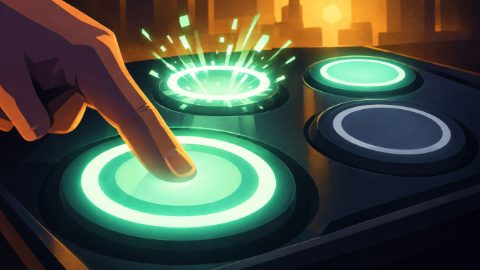
In Hold Fast, glass pads light up on a console under a sunset window and you press and hold each one until its charge ring fills. Let go too early and the pad cracks, let the amber pads go the moment they flash, and never touch a red one. As the round speeds up the pads light up as chords, and soon you are holding three or four at once with fingers from both hands while the city behind the console glows brighter with every pad you hold. Twist Fit is a calmer puzzle of precision in a sunlit stone courtyard: put two fingers on the screen, then pinch, twist and slide to resize, turn and move a stone piece until it clicks into its glowing slot, and fit as many as you can before the clock runs out, from simple stars to mirror shapes, two pieces at once and a sliding slot.
These games play best on a phone or tablet held in portrait, in any modern browser, with nothing to install. Hold Fast is labelled Mobile only: holding four pads at once takes four fingers on a touch screen, which no mouse can do, so on a computer its page shows a QR code to open it on your phone. Twist Fit is labelled Mobile & desktop, because it also has a real mouse-and-keyboard path (drag a piece, drag beside it to turn it, or use Q/E and W/S). For more games made for the touch screen in your pocket, see the mobile games and the tilt games, or train your hands with the reaction games.
Frequently asked questions
What is a multi-touch game?
A game that reads several fingers on the screen at the same time, so you can hold, pinch or twist with two or more fingers at once.
Can I play multi-touch games with a mouse?
Not all of them, because a mouse is a single pointer. Hold Fast needs up to four fingers holding pads at once, so it is Mobile only: on a computer its page shows a QR code to open it on your phone. Twist Fit is Mobile & desktop: the mouse drags a piece, the mouse beside it turns and resizes it, and the Q/E and W/S keys turn and resize it, though it still feels best on a touch screen.
My phone switches apps when I swipe near the edge. What can I do?
Keep your fingers away from the very edges of the screen, where the phone's own gestures live. The games keep their targets inside a safe area for that reason.
Can I play multi-touch games on an iPad?
Yes, and the bigger screen helps. If holding four fingers down makes your iPad switch apps, turn off the four- and five-finger multitasking gestures in its settings while you play.