One Thing Each
Everyone gets to add one thing to the planet.
- Round
- 2 minutes
- Scoring
- Casual only
- Works on
- Mobile & desktop
- Category
- Casual
One Thing Each controls: Drag to spin the planet · tap a thing, then tap where it goes. Press Play, then the game takes the keyboard. Press Tab to leave it.
Free play · 2 minutes · no sign-in
Drag to spin the planet · tap a thing, then tap where it goes
How to play One Thing Each
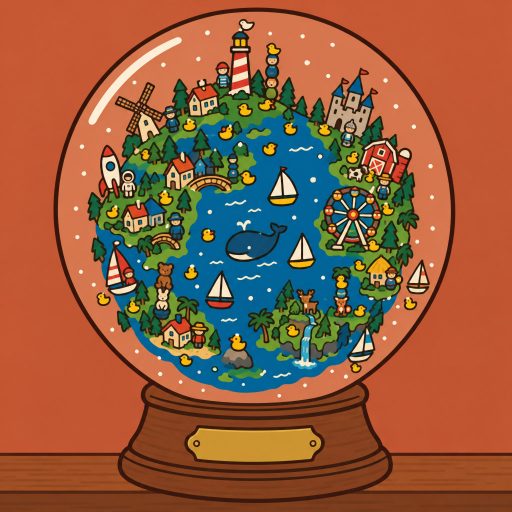
Look at today's planet in the snow globe: drag inside the glass to spin it and see what everyone added.
Open a drawer tab and tap the one figurine you want to add.
Tap the planet where it should stand; tap Turn to face it the other way.
Tap Place it. Your figurine drops onto the planet, marked YOURS, and stays there for everyone today.
Tap any spot to see what stands there, and open Past planets to look at earlier days.
Controls
| Input | Action |
|---|---|
| Touch: drag inside the glass | Spin the planet (a flick keeps it turning a moment) |
| Touch: tap a tab, a figurine, the planet | Choose your one thing and the spot where it goes |
| Touch: tap Turn, Place it, Done | Face it the other way, set it down, finish |
| Mouse: click and drag | The same as on a phone |
| Arrow keys | Spin the planet |
| SpaceEnter | Aim at the spot facing you, then place it; after that, finish |
| EscapeBackspace | Go back one step |
Tips
Spin the planet before you choose: a quiet coast or an empty island leaves your figurine room to be seen.
Want to stand out? Build on top of something: a stack grows the planet, and a lighthouse on a duck is hard to miss.
Zoom in twice to read the busiest villages, then zoom out to see the whole tiny world at once.
Come back just after midnight UTC to be one of the very first things on a brand new planet, and in the evening to see it full.
About One Thing Each
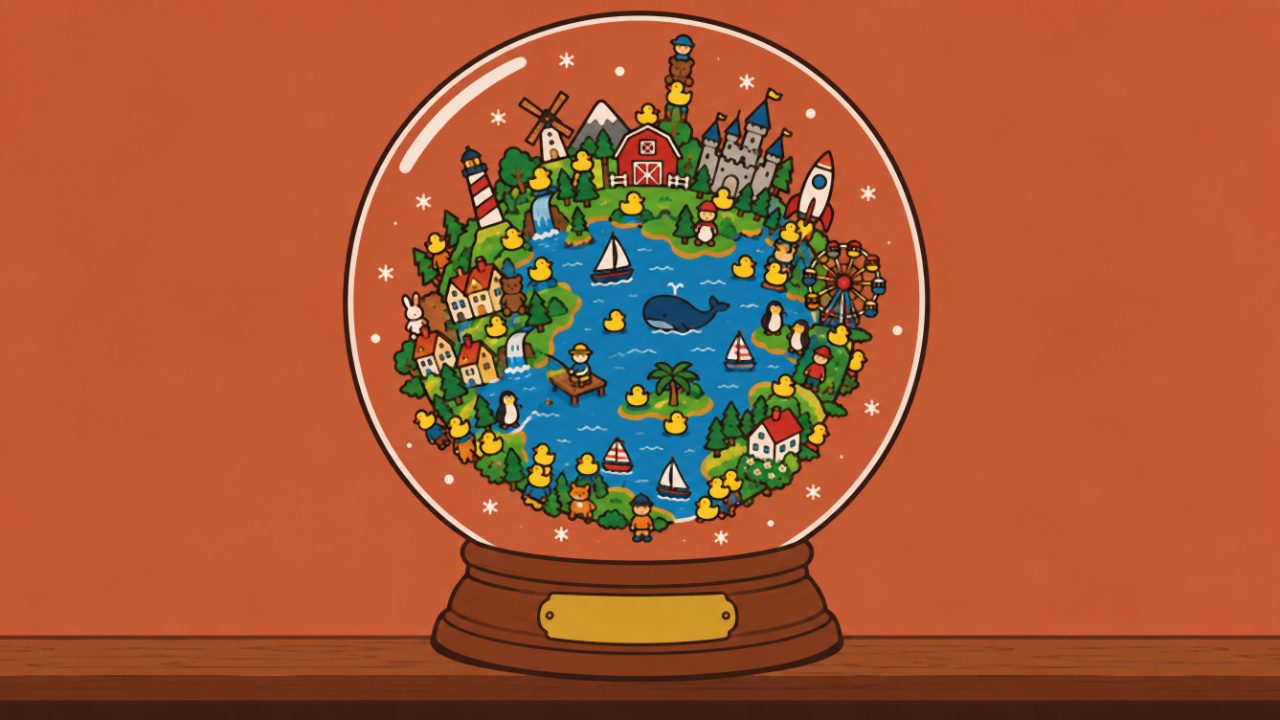
One Thing Each is a free online toy where everyone in the world gets to add one thing to the same tiny planet. The planet sits inside a snow globe on a shelf, and it starts again every day at midnight UTC. You pick a single figurine from a drawer of 216 hand-painted ones (a cottage, a lighthouse, a windmill, a rocket, a cactus, a castle, a duck), tap the spot on the planet where it should stand, and set it down. Then you spin the globe and look at what everyone else added today: little villages, forests, harbours full of boats, jokes nobody explained, and a suspicious number of ducks. It runs in your browser with no download and no sign-up form, and a visit takes about half a minute.
The planet is shared and it grows all day. Every figurine stands up from the surface all the way to the horizon, so a busy evening turns the globe into a tiny crowded world. When someone builds on top of another thing, the new one stacks on it: a duck on a house, a rocket on a castle, a teapot on a mountain. Every spot takes a few things at most, so a place that fills up spills its next figurine into the spot next door. Each day has its own map of land and sea, and the brass plaque on the globe's wooden base keeps the count ("8,302 THINGS").
There is nothing to win and nothing to lose. One Thing Each has no score and no leaderboard: it is a toy, one of our most relaxing games, a quiet shared moment you can come back to every day. You can add one thing a day. Choosing and aiming need only a few taps; to keep it to one a day, setting your figurine down signs you in with a free guest account, the same kind the daily challenge uses, and the thing itself is stored without your account. There is no free text anywhere: every figurine comes from a fixed catalogue, so nothing unkind can be written on the planet. If a spot looks wrong, you can tap it and report it.
A visit has three small steps. First open the drawer's tabs (homes, fun, nature, animals, sea and sky, go and eat) and tap one figurine. Then drag inside the glass to spin the planet, tap the spot where it should go (a ghost shows it there) and turn it to face left or right if you like. Finally tap Place it: it drops onto the planet, marked YOURS, and the count goes up. Afterwards you can zoom in, tap any spot to see what stands there, and open Past planets to look at the shelf of earlier days, which are kept like a little museum of everyone's planets.
One Thing Each plays the same on every screen. On a phone, drag with one thumb to spin the planet and tap to choose, aim and place. On a computer, click and drag with the mouse, or spin the planet with the arrow keys and press Space to aim at the spot facing you and set your figurine down. You will find it among our quick games, our casual games, and our mobile games and PC games.
Details
- Category
- Casual Games
- Tags
- Genre
- Casual
- Orientation
- Portrait (9:16)
- Works on
- Mobile & desktopPhones, tablets and computers
- Controls
- Mouse or touch
- Released
- Updated
- Credits
- Design and development: Gamefinity
- Age rating
- 4+
One Thing Each FAQ
How long does a visit to One Thing Each last?
About half a minute: a few seconds to choose a figurine and a spot, then up to 18 seconds of looking around after you place it. Tap Done to finish sooner.
Can I write my own message or draw on the planet?
No. Every figurine comes from a fixed catalogue of 216, and there is no free text or drawing anywhere, so nothing unkind can appear on the shared planet.
Why can I only add one thing a day?
So the planet stays a fair picture of everyone who came by. Your first thing of the UTC day stays on the planet; you can still place more, but they stand only on your screen.
Do I need an account?
No sign-up. Setting your figurine down creates a free guest account in your browser, as the daily challenge does, only to keep it to one a day. The thing is stored without your account.
What happens to the planet at the end of the day?
At midnight UTC a new planet starts with its own land and sea. The finished one goes on the shelf of past planets, which everyone can look at.
Can I play One Thing Each on my phone?
Yes. It plays the same on phones, tablets and computers: drag to spin, tap to choose and place, or use the mouse and the arrow keys on a computer.
Next up
More games like One Thing Each.